You ask.
It gets done.
Fluxyr is the easy way for anyone to put AI to work. One conversation reasons, creates, connects your apps, and carries a job all the way to done — picking the best AI for each step, so you never have to.

Why Fluxyr
The world's best AI, finally made for you.
Frontier AI is astonishing — and usually wrapped in tools built for engineers. Fluxyr strips all that away. No setup, no jargon, nothing to keep running. Just a conversation that understands what you want and actually does it.
The easy layer
All the power of AI. None of the complexity.
Use AI like you're simply explaining a task to someone. You get the results the experts get — without the setup they put up with.
The usual way
Built for engineers
- Pick the right model for every task
- Manage keys, credentials and logins
- Write code and wire up integrations
- Leave a machine running for jobs to fire
The Fluxyr way
Built for you
- The AI picks the best model, automatically
- Connect an app in one click — secrets stay sealed
- Describe what you want in plain words
- Everything runs in the cloud, 24/7
The whole system
Everything works as one.
Five abilities and a build studio, designed as a single system.
Conversations
A brain that remembers and acts
Routines
Work that runs 24/7 in the cloud
Skills
New abilities, built from a sentence
Integrations
Your apps, connected in one click
Vault
A safe the AI can use but can't see
File Space
Storage that organizes itself
Workbench
A build studio inside your chat
Not a chat. A working brain.
Fluxyr conversations run on a real cognitive architecture — a synthetic brain modeled on how memory actually works. It remembers, keeps thinking when you leave, and reaches for the right AI on its own.
- Layered memory — the immediate context, facts, history and your preferences, organized like a mind
- Keeps what matters and lets go of the noise, so long chats stay sharp
- Step away, close the tab, lose signal — it finishes the thought and waits for you
- Reasons with one model, generates with the best one for the job
- Thinks out loud, and asks before doing anything consequential
An image studio that lives in your chat.
Ask for a change and it keeps the same session, versions every result, and lets you branch from any point. Feed it up to four reference images to steer the look, and keep several pieces in flight at once — a hero image, a banner, a video clip — each with its own history.
Work that happens while you sleep.
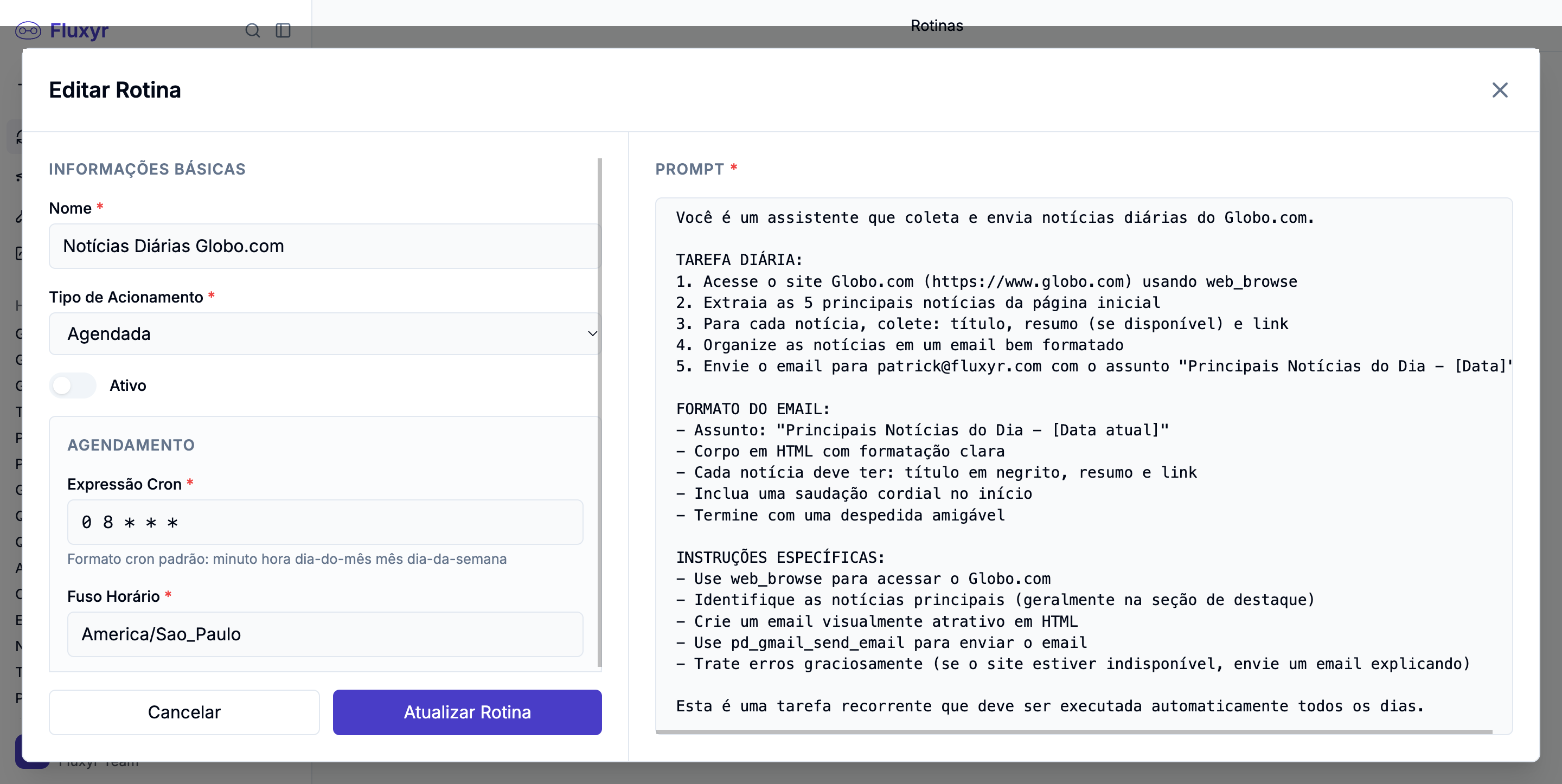
Describe a job in plain English and Fluxyr runs it in the cloud — on a schedule, or the moment something happens. Your laptop can be closed, asleep, or in another country. The work still gets done.
Scheduled
“Every weekday at 7 a.m., email the team yesterday's sales.”
Manual
A Run-now button, whenever you want.
Reactive
It wakes up the instant something happens.
Always listening.
Point a routine at an inbox or a channel and it triages, replies, escalates, and files — automatically. Stand up a real support or FAQ bot just by describing how it should behave. No server, no bot framework, no code.
Describe it. The AI builds it.
Write what you want in plain words — “fetch my emails, summarize threads, draft replies” — and press Build. Fluxyr writes the working code for you, behind the scenes, while you watch. You never see a line unless you want to.
- The prompt is what you keep — your words are the source, the code is just a build artifact
- Skills regenerate and improve over time instead of rotting
- Real code runs in a sealed, sandboxed cloud — never on your machine
- Or just connect a popular app in one click — nothing to build
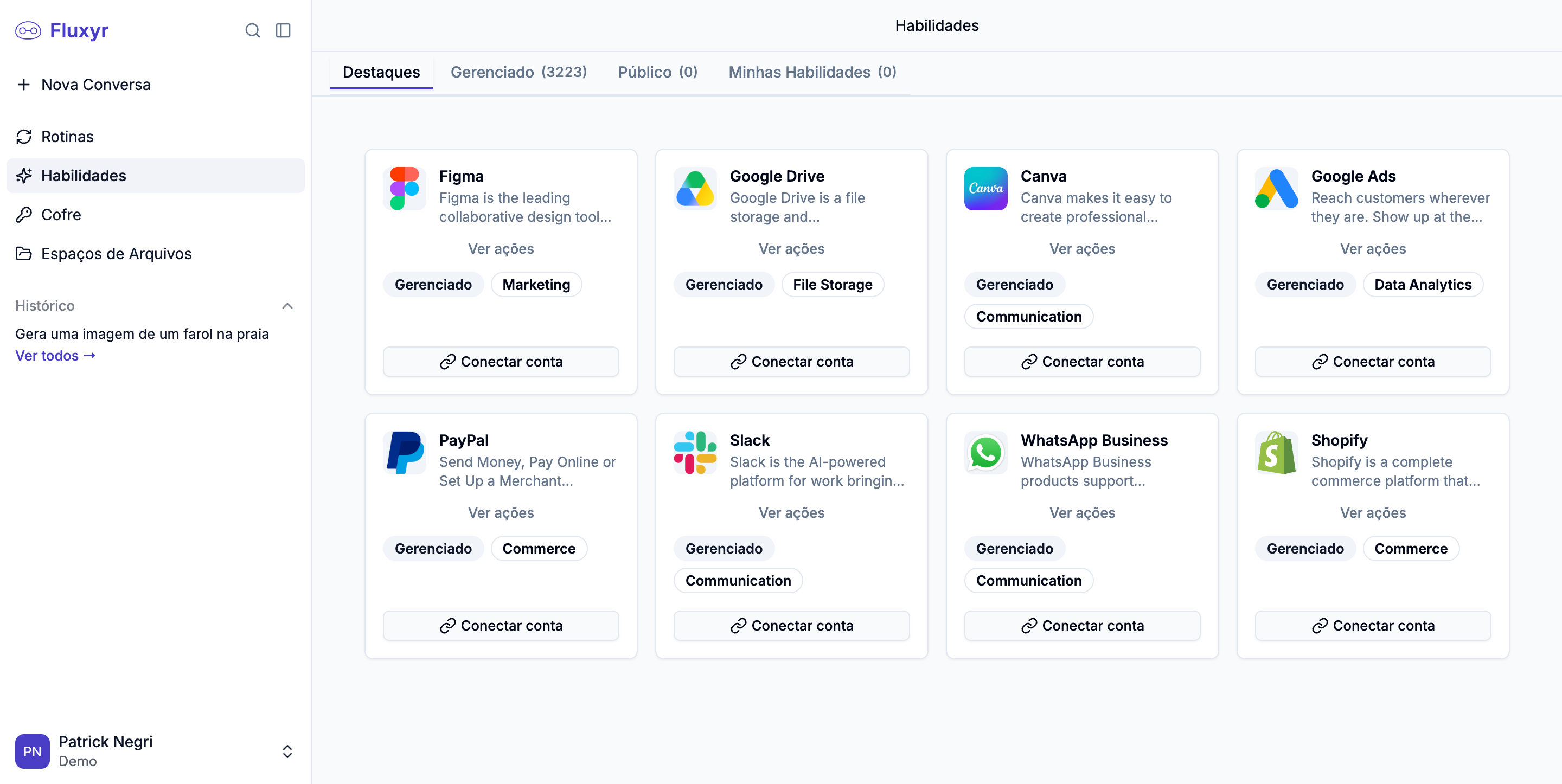
Connect the apps you already use.
Gmail, Slack, Google Drive, Notion, Stripe, HubSpot and thousands more. One click to sign in — and your AI can act in them right away. No keys to paste, no setup.
- One-click sign-in for thousands of popular apps
- Your login is tucked safely into the Vault, automatically
- Actions become instantly usable by the AI and your routines

+ thousands more
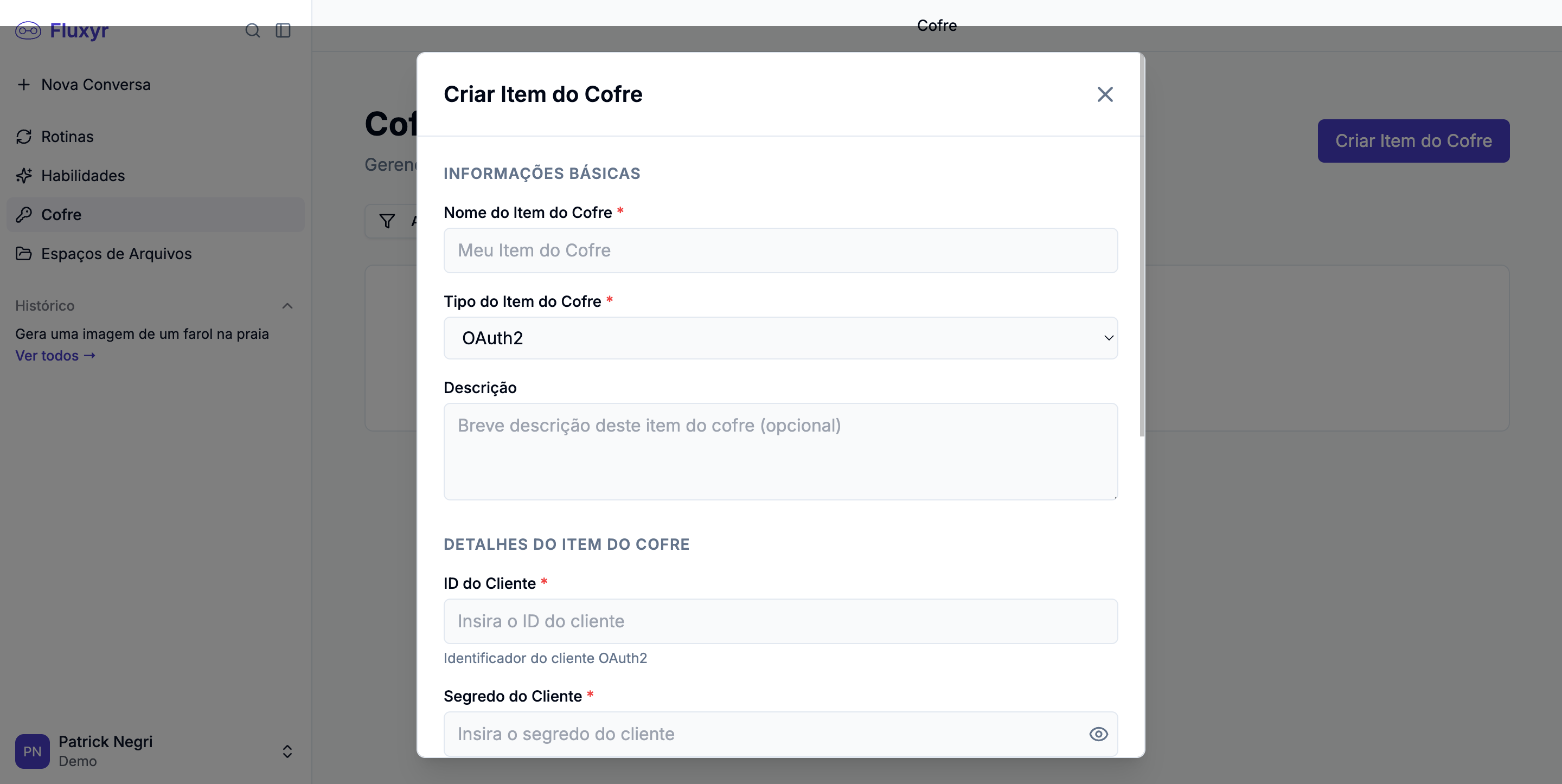
A safe the AI can use, but can't see.
The moment AI does real work for you, it needs permission to get in. The Vault is where those permissions live — a personal safe for passwords, keys and logins, built so you never think about how it's protected.
- Connect once, use everywhere — never re-enter anything
- The AI uses a secret to do the job, but never actually sees it
- Encrypted and unreadable at rest — bank-grade, nothing to configure
- Share with your team without ever sharing the secrets
Storage that organizes itself.
When AI makes a report, a chart, or a cleaned-up spreadsheet, it needs somewhere to put it. File Space gives you durable storage the AI reads and writes directly — with no cloud account, no buckets, nothing to set up.
- A permanent space for what matters, a temporary one for scratch work
- Named project spaces you switch between right inside a chat
- Drag and drop a PDF, image or spreadsheet — the AI just gets it
- Every file remembers where it came from

The build studio hiding in your chat.
Ask to build or change something and the conversation quietly becomes a build studio — then flips back to normal chat when you're done. You never toggle a mode. You just talk.
- Knows whether you need a Skill or a Routine — and picks for you
- Reads a service's real API docs so integrations are actually correct
- Create, edit, test and fix — all by describing what you want
- Brings out a stronger model for building, with confirmation before every change

Put it to work
“Hey Flux, can you…”
A few of the things people hand off on day one.
Triage my inbox
Read new messages, draft replies, escalate what's urgent, and file the rest — automatically.
Email me a 7 a.m. digest
Summarize yesterday's sales, or the morning's news, and send it to the team before standup.
Score every new lead
When a lead comes in, research the company, score it, and post it to your channel.
Run a support bot
Answer FAQs, look up orders, and ask a human before anything sensitive — no server required.
Make the visuals
Generate a hero image, iterate on it, branch a second direction, and keep both.
Watch a channel
Monitor Slack or Teams and step in when someone asks a known question or sounds unhappy.
All in one breath
One sentence. End to end.
A single message can pull data through an integration, sign in with a credential the AI never sees, reason and create across the best models, save the result to a project space — and, if you want, become a routine that runs every morning, forever, with an approval gate and a full history.
Safe by design
Developer-grade power. None of the risk.
Secrets stay sealed
Credentials are encrypted at rest and opened only inside an isolated sandbox — never in your chat, never in the AI's view.
Sandboxed execution
Every action runs in a fresh, isolated, time-limited sandbox on our servers. Nothing carries over, nothing runs away.
You're always asked
Anything consequential pauses for your approval. Nothing becomes account-wide without your say-so.
Nothing to keep running
It all lives in the cloud. No machine to leave on, no runtime to install.
Good questions
The things everyone asks.
Do I need to know how to code?+
No. You describe what you want in plain language, and Fluxyr does the rest — including writing any code behind the scenes.
Do I have to pick which AI to use?+
Never. Fluxyr reasons with one model and automatically hands each task to the AI that's best at it.
Is it safe to connect my accounts?+
Yes. Your logins go into an encrypted Vault. The AI can use them to get a job done, but it never actually sees them.
Does my computer need to stay on?+
No. Conversations and routines run in the cloud. Close your laptop — the work keeps going.
What can it actually do for me?+
Answer messages, automate routines, connect your apps, create images, build custom abilities — and carry a job all the way to done.
AI for everyone.
You talk. Fluxyr gets it done. Download it and turn the conversation into action.